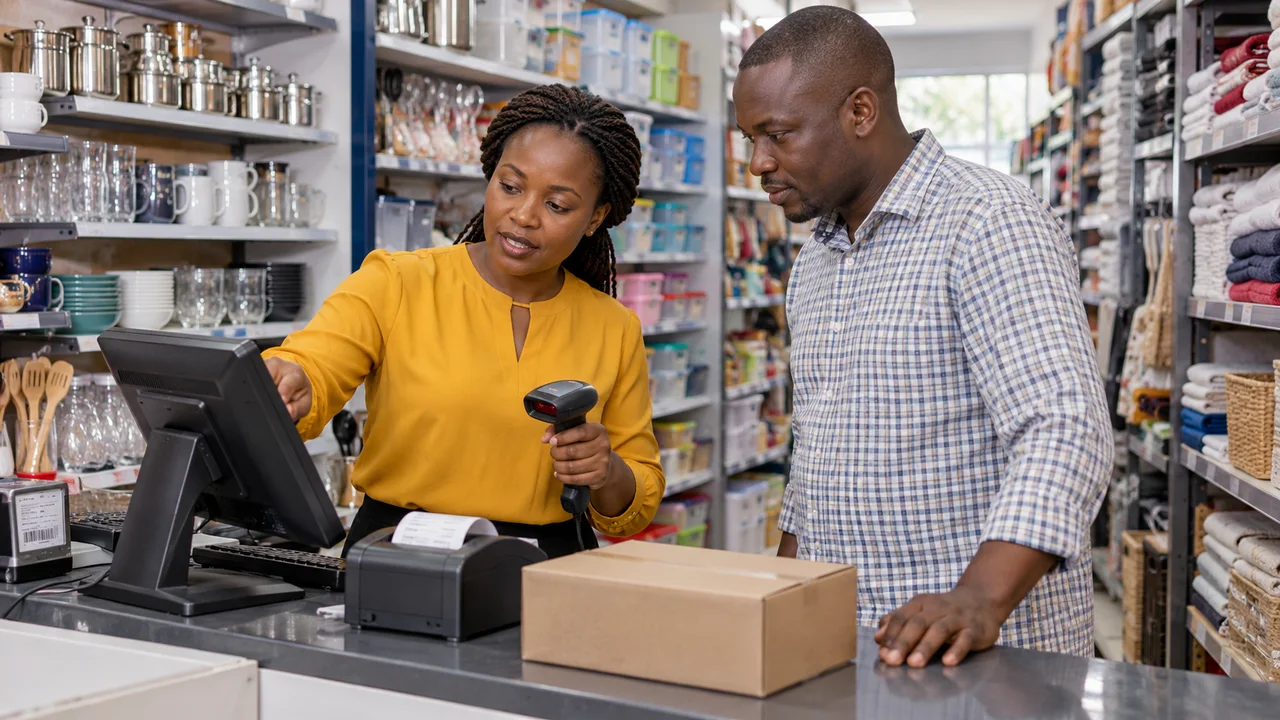
A POS system should help staff complete sales and help the owner trust the stock and payment records. Before buying for a Kenyan shop, run the same realistic demonstration with every supplier. Fast checkout is useful, but it does not answer how the system handles returns, a network outage, stock adjustments or an employee leaving.
Start with the way your shop sells
List the products and sale units you use: individual items, packs, sizes, colours or weighed quantities. Explain discounts, customer credit and returns if they are part of your operation. A system that works for a simple single-item catalogue may require additional rules for wholesale packs or variants. Ask the supplier to model those rules using sample products.
For multiple branches, define who receives stock, who authorises transfers and how the owner sees each location. For a single shop, avoid paying for unnecessary complexity without understanding the benefits. Decide which records staff need at the counter and which reports management needs after closing. Do not assume that an impressive dashboard answers both needs.
Demonstrate stock movement from receipt to return
Have the supplier receive sample stock, sell an item, return it and perform an approved adjustment. Check the quantity at every step. Test a product variant separately so a sale of one size does not silently reduce another. Ask how damaged goods, supplier returns and opening balances are recorded.
A useful stock history should make it possible to understand why a quantity changed and who authorised it. Ask whether records can be edited or deleted after a sale and what history remains. For a transfer, demonstrate dispatch and receipt at different locations rather than merely changing a label on a product. Use these checks to evaluate the product; they are not claims that every POS includes them.
Use a repeatable demonstration script
Prepare these scenarios before a sales call and record the outcome, including any feature that requires an extra module or subscription.
| Scenario | What to inspect |
|---|---|
| Sell two variants | Correct price, quantity and receipt for each variant |
| Return part of a sale | Stock, refund record and original sale remain understandable |
| Restricted staff action | A cashier cannot approve an owner-only operation |
| Disconnect internet | Document what works, what stops and how recovery behaves |
| Reconcile a payment | Sale status agrees with verified payment records |
| Export and restore | Readable data export and a demonstrated recovery process |
Ask exactly what offline operation means
Do not accept the word offline without a test. Disconnect the network during the demo and try the required tasks. Some products keep only a cached screen, some queue transactions and others require a local server. Establish which devices can continue, whether payments still need connectivity and when stock from other branches becomes visible.
Reconnect and check for lost or repeated transactions. If two counters sell the same last item during an interruption, ask how the product handles the conflict and how staff discover it. The appropriate behaviour depends on the system design and your business rules. Record the tested limitations in the proposal, along with any router, power or local hardware requirements.
Separate a payment option from a working integration
A button labelled M-PESA does not establish automatic payment confirmation. Safaricom Daraja provides APIs for integration, but the exact provider connection, business account and production setup still need verification. Ask which steps are manual and which are automatic in the proposed POS.
Demonstrate a pending payment, a failed attempt and an amount that does not match the sale. Ask who reconciles discrepancies and what prevents a cashier from treating an unconfirmed payment as settled. If you require tax-system integration, get the exact supported connection and obligations checked against current official guidance and your adviser before contracting; a printed receipt alone is not evidence of that integration.
Check devices, permissions and support
Ask for the supported device, printer and barcode-scanner models rather than assuming your current equipment will work. Test the actual receipt layout and scanner with realistic packaging. Clarify replacement hardware, connectivity, installation and training costs. Include renewals, branch or terminal charges and payment-provider costs in the comparison.
Discuss named staff accounts, permission boundaries and how access is removed. Security questions can be structured using OWASP ASVS for a web-based application, with verification proportionate to the system. Ask how support is reached when the shop cannot trade, which hours are covered and what recovery steps staff can safely take themselves. A response target should not be confused with a guaranteed resolution time.
Plan migration and an exit before rollout
Use a trial import to check product codes, units, prices and opening quantities. Decide how stock will be counted and approved before the new system becomes authoritative. Avoid importing customer information you do not need; use sample or anonymised records during evaluation. Keep the previous system or source records recoverable while validating the transition.
Request a sample export and check that it contains the information another system would need. Download the demo script below, then review our POS service and the Goodmorning Baby Shop POS project for relevant work. Share your shop type, branches, products, current devices and required integrations when requesting a demonstration.
Questions people ask
Does every POS work without internet?
No. Offline capability varies by product, task and installation. Test the required workflow with the connection removed and document recovery, synchronisation and payment limitations.
Will a POS automatically confirm M-PESA payments?
Only if the proposed integration and business setup support that workflow. Ask for a demonstration and distinguish manual recording from provider-confirmed payment status.
Can I keep my current receipt printer?
Possibly. Ask the supplier to confirm the exact model, connection and driver requirements, then test it before purchasing or migrating.
Put this guide to work
Download a practical template, fill in your requirements and bring it to your project conversation.
- POS demonstration script ↓
Run the same sales, returns, stock and offline scenarios with each shortlisted supplier.
- Developer comparison scorecard ↓
Compare suppliers against the same evidence and record unanswered questions.
Sources and research notes
Sources checked 3 October 2026. Recommendations and labelled scenarios are editorial guidance. Provider prices and capabilities can change; confirm them before purchasing.
- Safaricom: Daraja developer portal
Daraja provides Safaricom and M-PESA APIs for web and mobile integrations; specific setup must be checked with the provider.
- OWASP: Application Security Verification Standard
A basis for specifying and testing web application security controls, rather than a blanket security guarantee.

About this guide
AI-assisted research and original buyer checklists from the studio. Official documentation is linked above; examples are illustrative and do not describe verified client outcomes.
Ask Ken on WhatsApp