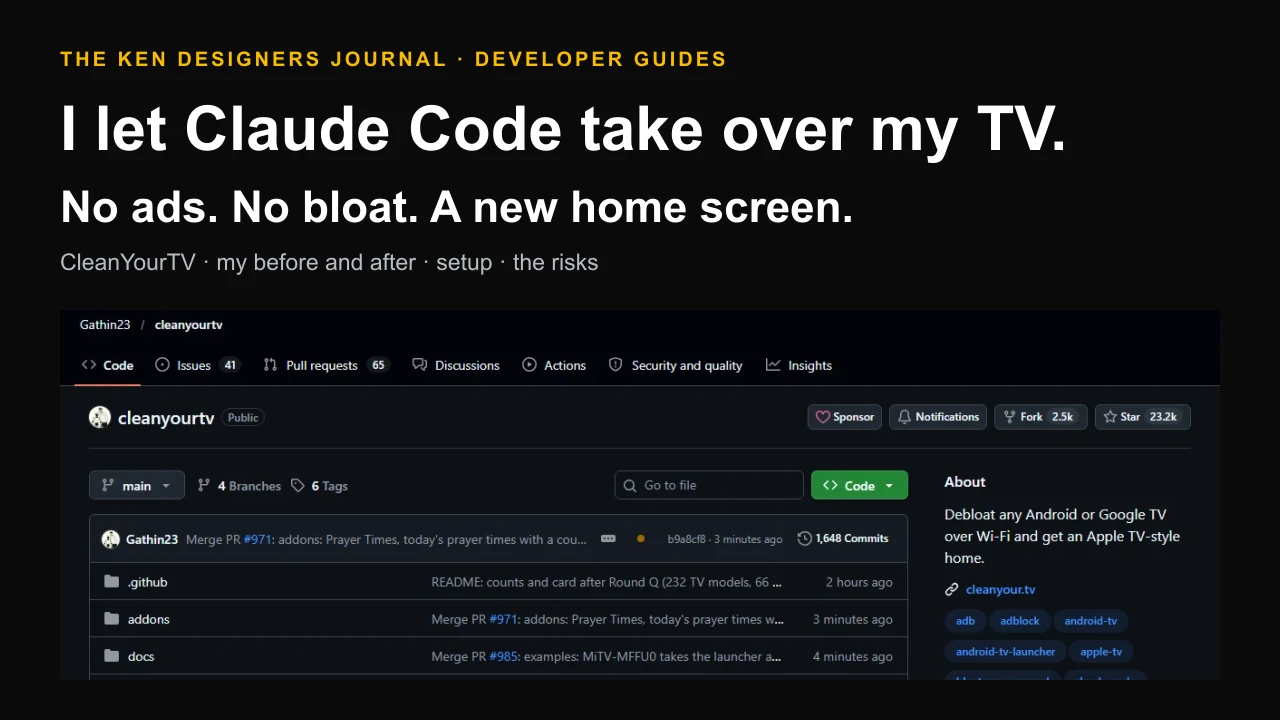
My TV had become an advert with a screen attached. Before I could open Netflix, the home screen pushed a row of apps I never asked for, a wall of recommended videos and a "Continue watching" row full of things I never finished on purpose. Then I saw a GitHub repo called CleanYourTV going viral: point an AI coding agent at your Android TV over Wi-Fi, and it switches off the junk and installs a clean, Apple TV-style home screen. No root, no cable, and a one-line undo. So I tried it on my own TV, on camera, with Claude Code doing the work. This is what happened, what the repo actually does under the hood, how to do it yourself, and the risks the viral clips leave out.
Watch it happen on my TV
The video is six and a half minutes long. I filmed my own TV and laptop, not a demo. If you only have a minute, skip to the end and compare it with the start.
- 0:00 The post that started it all, from the repo's creator.
- About 0:30 My stock Google TV home: a long row of apps such as Red Bull TV, 8 Ball Racing, Horizon Chase and Motorvision, then rows of recommended videos I never asked for.
- About 1:40 Claude Code on my laptop, working through its checklist and asking me which apps I actually use.
- About 3:10 A bonus fix: my Windows laptop mirrored onto the TV.
- About 4:00 The new launcher's first run: a dark home screen, a clock, and a dock with only the apps I picked.
- About 4:50 The finished home screen, with my own Silicon Savanna wallpaper, a greeting and the date.
The ad before Netflix that started it
On 17 October 2026 a developer called Gathin T. posted a before and after of his parents' Xiaomi TV. It had been showing a sponsored ad before anyone could reach Netflix. He gave Claude Code the model number, the agent found the TV on Wi-Fi, switched off the junk and wrote a new launcher. By the project's own count the post reached 7.4 million views (CleanYourTV README).
People started doing the same thing to their own TVs and sending in what worked. The repository, called tv-vibehack until 19 October, turned those replies into tested lists for over 170 TV models in four days. When I checked it on 22 October it listed 232 models from 66 brands, and had about 23,200 stars and 2,500 forks.
It is not the only project doing this. TechCrunch and It's FOSS both covered a wider trend of people using AI agents to make smart TVs "dumb again": fewer ads, less tracking, a faster interface. CleanYourTV is the one that turned it into a repeatable, reversible process.
What CleanYourTV actually does
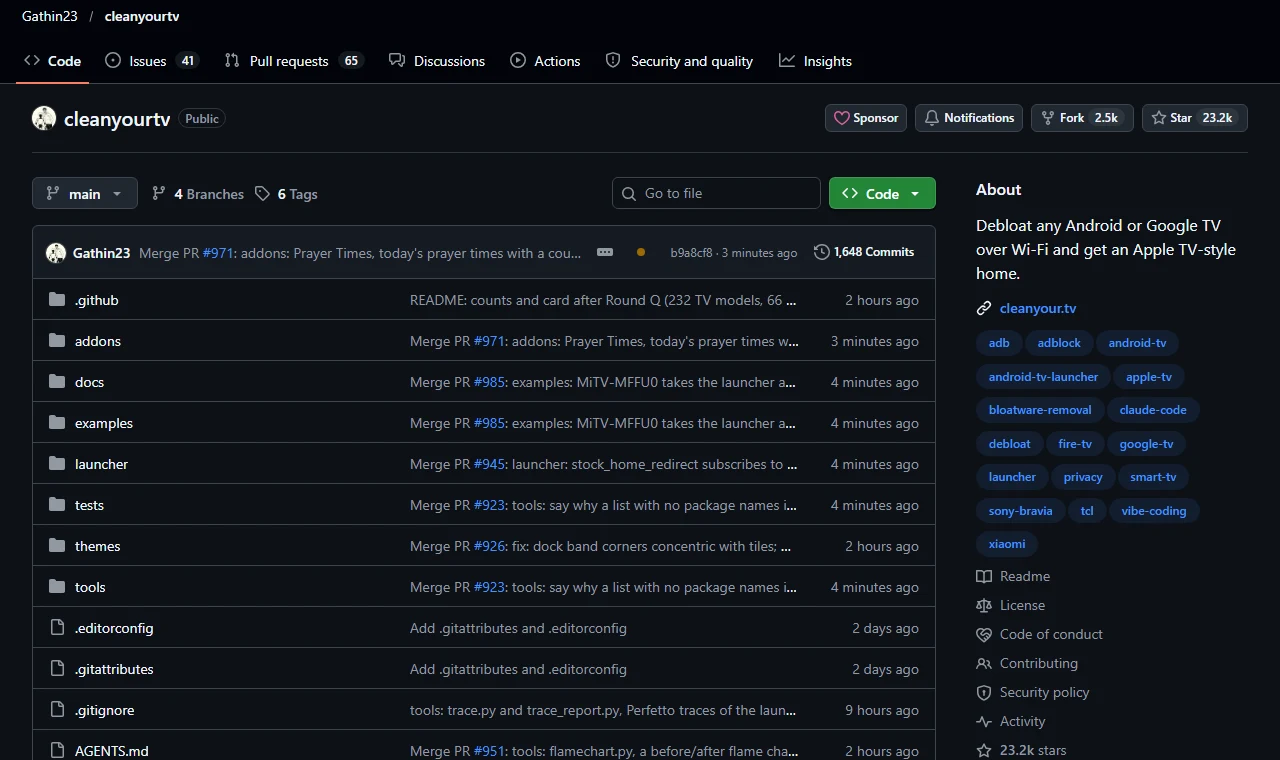
There is no hack in the movie sense. Android TVs carry the same debug bridge as Android phones, called ADB. You switch on debugging in the TV's developer options, accept one "Allow this computer?" prompt, and your computer can run standard Android commands on the TV over Wi-Fi. CleanYourTV is a prompt, a set of tools and a launcher that put those commands in the right order.
The clever part is that the agent does the discovery. Bloat differs by brand and even by firmware, so the prompt tells your coding assistant to list every package on your TV, sort them into groups and ask you before touching anything you might use.
| Step | What happens | Why it is safe |
|---|---|---|
| 1. Back up | Saves the installed package list, the disabled list and the TV's settings before anything changes | A record of the starting state lives on your computer, in ~/.cleanyourtv/ |
| 2. Disable | Switches off manufacturer telemetry, ad services, content rows and preloaded apps with pm disable-user | Nothing is uninstalled. It is the same switch as Settings > Apps > Disable |
| 3. Install | Builds a small native launcher, about 471 KB, and makes it the default home screen | The scripts refuse to leave the TV without a working Home app |
What I saw on my own TV
My TV is a Haier running Google TV on Android 14. I cloned the repo, opened Claude Code in the folder, pasted the prompt with my model name and let it work. It kept a checklist on screen the whole time, which is the part I would show anyone who is nervous about this:
- Clone the repo and read PROMPT.md
- Check ADB and find the TV on Wi-Fi
- Connect and identify the TV model
- Back up packages and settings
- Ask the checklist: apps, dock, voice, Chromecast
- Disable bloat and install the launcher
- Verify with screenshots pulled from the TV
It asked before it touched anything personal. Which apps go in the dock, and in what order? Keep the voice assistant? Keep Chromecast? Updates? I picked my streaming apps for the dock and answered the rest. Only what I did not use was switched off.
It checked its own work. After each change it pulled a screenshot from the TV and looked at it, the same way you would glance up at the screen. That is how it caught small problems: at one point it noticed that the dock's coloured glow, which takes the colour of the selected app, looked washed out, and it adjusted it.
It fixed something I had given up on. My laptop could not find the TV for screen mirroring. Claude worked out that the TV's Wi-Fi Direct was off until the manufacturer's casting app, HaiCast, was open, so it opened HaiCast on the TV and walked me through Windows' Win+K connect screen. You can see my Windows desktop on the TV at about 3:10 in the video. That is not in the repo at all. It is the agent understanding the TV.
Then I made it mine. I gave it a photo I call Silicon Savanna, an acacia tree against a city skyline at sunset, and switched the font to Inter. It set the wallpaper, corrected the colours so the photo kept its real twilight tones and made sure the clock and greeting stayed readable on top. The TV clock reads 1:38 pm when the new launcher first appears and 2:25 pm on the finished screen. Most of that gap was me being fussy about the wallpaper.
The result: a black home screen with a greeting, the time and the date, three buttons for Inputs, Wi-Fi and Settings, and a dock with only my apps. No sponsored row, no preloaded games, no wall of recommendations.
How to do it on your TV
You need the TV, a computer on the same Wi-Fi, and a coding assistant that can run shell commands: Claude Code, Codex or Gemini CLI all work, according to the README. Plan on one sitting. The README says it takes about fifteen minutes with the repo as context; mine took longer because I kept asking for extras.
1. On the TV, go to Settings > Device Preferences > About and press OK on Build seven times. Go back, open Developer options and turn on USB debugging. If you see a Network or ADB debugging toggle, turn that on too. Keep the TV on.
2. On your computer, clone the repo, open your assistant in that folder and paste PROMPT.md with your TV model filled in. Ask it plainly to debloat your TV and replace the launcher. People have reported agents refusing vague requests like "hack my TV", and the repo's own wording avoids that.
3. Follow along. Accept the debugging prompt on the TV, answer the checklist honestly, and watch the screenshots. If something you use disappears, say so: it can be switched back on in seconds.
# On a computer on the same Wi-Fi as the TV
git clone https://github.com/Gathin23/cleanyourtv
cd cleanyourtv
claude                      # or Codex / Gemini CLI

# Then paste the contents of PROMPT.md and fill in one line:
#   My TV model is: <your model, from Settings > About>
# Accept "Allow USB debugging?" on the TV when it asks,
# and answer the checklist: apps you use, dock order, voice, Chromecast, updates.# Windows PowerShell, from the cloned folder. Replace the IP with your TV's.
python -m venv tools\venv; tools\venv\Scripts\python.exe -m pip install -r tools\requirements.txt
$env:TV_HOST = "192.168.1.50"
tools\venv\Scripts\python.exe -I tools\tv.py --probe # model, Android version, firmware
# Build the launcher and make it Home FIRST, then apply your TV's list
powershell -ExecutionPolicy Bypass -File launcher\build-and-install.ps1 -TvHost 192.168.1.50
powershell -ExecutionPolicy Bypass -File tools\disable.ps1 -TvHost 192.168.1.50 examples\<your-tv>\debloat.txt
# Changed your mind? One line puts it back
powershell -ExecutionPolicy Bypass -File tools\restore.ps1 -TvHost 192.168.1.50 examples\<your-tv>\debloat.txt
# When you are done: switch debugging off on the TV, reboot, then confirm port 5555 is closed
tools\venv\Scripts\python.exe -I tools\adb-closed.py 192.168.1.50Which TVs work
Anything running Android TV or Google TV. That covers a large share of the sets on sale in Kenya, from TCL, Hisense, Haier, Skyworth, Sony, Xiaomi, Philips and more, as well as streaming sticks and boxes such as the Xiaomi TV Stick, Mi Box and Chromecast with Google TV.
Check the examples folder for your model before you start. If someone has already tested it, the agent can reuse their list and skip the discovery. If your TV is not there, the prompt finds the bloat itself, and you can contribute your list so the next person with your model has it easier. Kenyan market brands that are not listed yet are a good first contribution.
| Platform | What works |
|---|---|
| Android TV and Google TV | The debloat and the new launcher |
| Amazon Fire TV | The debloat only. Fire OS will not hand Home to a third-party launcher |
| A few China-market TCL sets | They refuse to install any launcher; their lists say so |
| Samsung (Tizen) and LG (webOS) | Not supported: different operating systems with no Android debug bridge |
| Older Android TVs | The launcher needs Android 8.0 or newer; the install script checks first |
What your TV knows about you
Ads were the visible problem. The quieter one is tracking. Many smart TVs use automatic content recognition, or ACR, which identifies what is on screen from the picture or sound, and that viewing data feeds the TV advertising business. TechCrunch's coverage points out that wider use of these clean-ups could cut into exactly that.
CleanYourTV is honest about the limits here, which I respect. Its privacy tool, tools/privacy.py, audits the TV and lists voice, ACR and telemetry candidates with the evidence for each, then turns the ones you choose into a normal list you can apply or undo. But the README is clear that no scan can prove a TV is or is not recording. Switching off a voice assistant also costs you something specific, such as the mic button on the remote, so it is a trade you make with your eyes open.
Ads inside apps are a separate matter. The README suggests Android's Private DNS setting with an ad-blocking resolver such as AdGuard DNS, which stops many ad and tracker domains across every app. It does not remove YouTube ads, and that resolver then sees every lookup your TV makes.
Five ways to turn this into paid work in Kenya
Every TV clean-up starts with a person who hates their home screen but will never enable developer options. If you are a developer or a techie in Kenya, that is a service. These are our suggestions, not jobs we have delivered:
| Customer | What you set up | What keeps them paying |
|---|---|---|
| Short-stay and Airbnb hosts | A clean home with only Netflix, YouTube and the HDMI inputs, so guests are not confused or signed into the host's accounts | A check after every firmware update |
| Hotels and guest houses | The same set-up across every room, with the hotel's own wallpaper and greeting | A per-room fee and a monthly check |
| Restaurants, bars and sports lounges | A home screen built around Inputs, with the decoder on a named HDMI port, so staff can switch to the match quickly | Fixing what updates undo |
| Clinics, banks and waiting rooms | One or two apps, no recommendations, no autoplaying content that should not be on a public screen | A quarterly check |
| Parents and relatives | The original use case: a TV that goes straight to the channels and apps they actually watch | Goodwill, and a referral |
Make it repeatable. Keep each client's debloat list in a private repository, along with the backup record. When a firmware update brings packages back, check.py tells you what drifted, and check.py --fix puts it right. A weekly scheduled check is how a one-off visit becomes a monthly retainer.
Get permission in writing and leave the door closed. Only work on TVs the customer owns or controls, with their written go-ahead. Kenya's Computer Misuse and Cybercrimes Act makes unauthorised access to a computer system an offence, with fines of up to KES 5 million, three years in prison, or both (section 14). For a different home, the README recommends a private Tailscale link and warns against ever opening the ADB port on a router. Switch debugging off before you leave and hand over the restore list.
Your TV, minus the ads
The best thing about CleanYourTV is not the launcher, nice as it looks. It is the method: an AI agent reading a device it has never seen, asking you what matters, making careful reversible changes and checking each one with its own eyes. That is how a lot of software work in Kenya is going to be done, on hardware and systems nobody documented for us.
Try it on your own TV this weekend, watch my video first so you know what to expect, and keep the restore list. If you want a business system, a kiosk screen or a custom Android app built with the same care, see our custom software development service, or follow me on TikTok for the next experiment.
Questions people ask
What is CleanYourTV?
CleanYourTV is a free, MIT-licensed project on GitHub (Gathin23/cleanyourtv) that debloats Android TV and Google TV sets over Wi-Fi. An AI coding assistant such as Claude Code uses Android's debug bridge to back up the TV, disable ad, telemetry and preloaded packages, and install a small Apple TV-style launcher. It was called tv-vibehack until 19 October 2026.
Is CleanYourTV safe? Can it brick my TV?
Nothing is rooted, flashed or uninstalled: packages are only disabled, and a restore script undoes every change from a record taken first. The real risk is disabling a package the TV relies on, which is why the prompt protects core packages and asks before touching anything unclear. Some users have reported problems, so read what the agent proposes, apply changes in small batches and keep the restore list.
Does it work on Samsung or LG TVs?
No. Samsung uses Tizen and LG uses webOS, which do not have Android's debug bridge. It works on Android TV and Google TV sets and sticks from brands such as TCL, Hisense, Haier, Skyworth, Sony, Xiaomi and Philips. Amazon Fire TV gets the debloat but not the new launcher.
Do I need Claude Code, or can I do it by hand?
Claude Code, Codex and Gemini CLI all work with the prompt. You can also run the repo's tools yourself with Python 3: probe the TV, apply a tested list for your model, build the launcher and restore. Windows users get PowerShell versions of every script.
Will Netflix, YouTube and my other apps still work?
Yes. Streaming apps are kept if you tick them in the checklist, and they keep updating through the Play Store, which is left alone. The new launcher simply lists what is installed and opens it.
Does it remove ads inside YouTube?
No. It removes ads and sponsored rows from the TV's own home screen. Android's Private DNS with an ad-blocking resolver can stop many in-app ads and trackers, but YouTube ads come from the same servers as the videos, so they stay.
Put this guide to work
Download a practical template, fill in your requirements and bring it to your project conversation.
- TV clean-up checklist ↓
Before, during and after: model check, backup, the apps-to-keep list, the order that protects Home, closing the debugging port, and what to do after a firmware update.
Sources and research notes
Sources checked 22 October 2026. Recommendations and labelled scenarios are editorial guidance. Provider prices and capabilities can change; confirm them before purchasing.
- CleanYourTV (Gathin23/cleanyourtv) on GitHub
How it works, supported platforms, tools, the launcher, restore and firmware-update steps, risks, the origin story and view count, model and brand counts, licence and repository metrics. Screenshot captured from this repository.
- CleanYourTV PROMPT.md
The prompt pasted into Claude Code, the TV setup steps, and the packages it must never disable.
- My CleanYourTV test on TikTok (@kensoftwaredev)
First-hand before and after on a Haier Google TV, the agent's checklist, the screen mirroring fix and the finished home screen (22 October 2026).
- TechCrunch: People are using AI to make their smart TVs dumb again
The wider trend, user reports of a bricked TV and a stuck Fire TV, ACR and the TV advertising business (19 October 2026).
- It's FOSS: People are using AI to get rid of smart TV ads
Origin as tv-vibehack, setup over ADB, risks, and reports of agents refusing vague prompts (19 October 2026).
- Computer Misuse and Cybercrimes Act 2018, section 14
Unauthorised access offence and penalty (unofficial reproduction).

Written by
Founder and lead developer at Ken Designers, the Nairobi studio behind websites, online stores, apps and POS systems for 300+ businesses. Best Software Developer of the Year 2026 (Digitally Fit Awards by KEOnline).
Ask Ken on WhatsApp