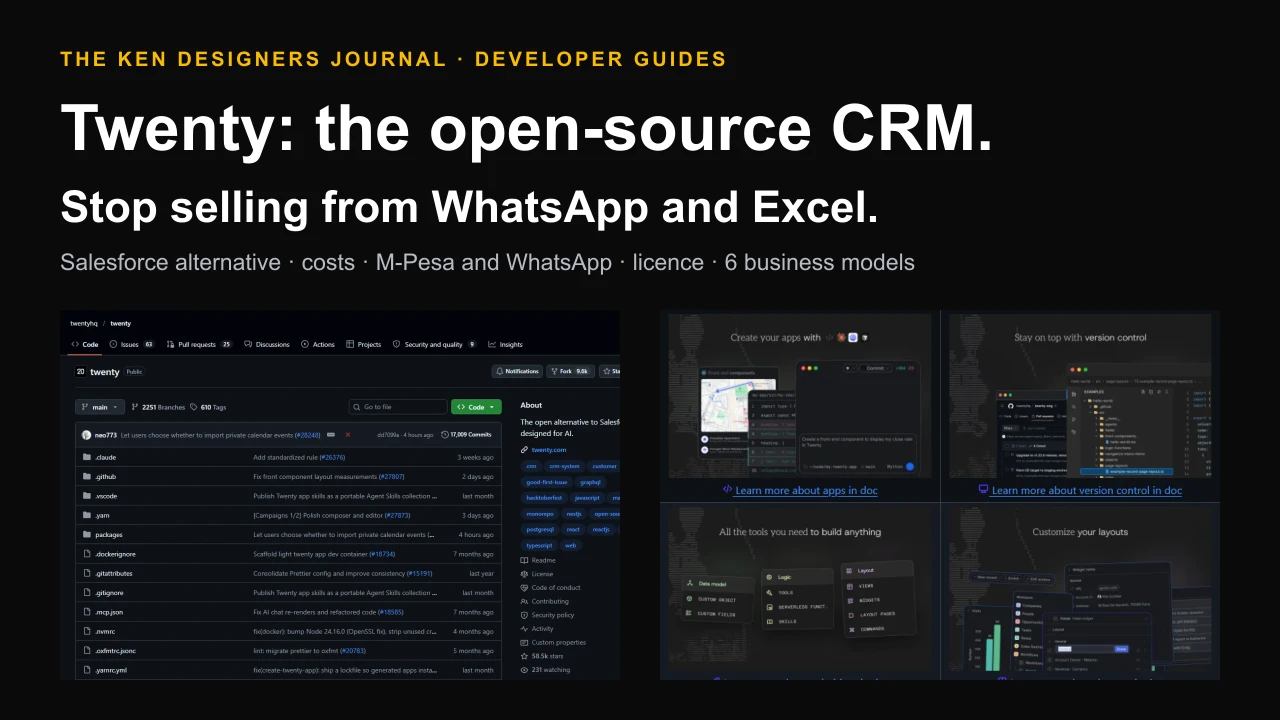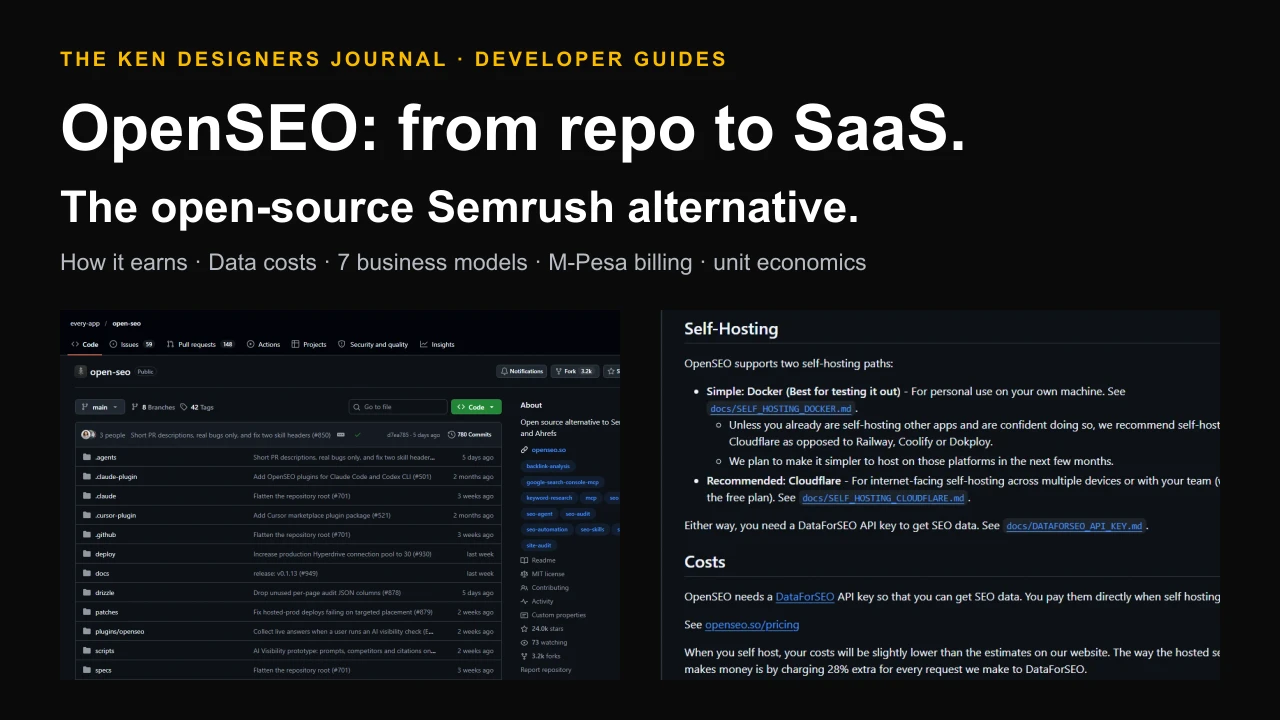
Every business that sells to other businesses spends hours on the same chore: opening websites one by one, copying names, products, prices and contact pages into a spreadsheet, and doing it again next month when things change. Traditional web scraping could automate it, but only if a developer wrote fragile code for each site that broke whenever the site changed its layout. ScrapeGraphAI changes that. It is an open-source Python library that lets you describe the information you want in plain English, "what does this company do, where is it based, what does it sell", and returns clean, structured data. This guide explains the magic, what it really costs, and ten practical ways Kenyan ecommerce stores and B2B businesses can use it to find and understand opportunities, while staying on the right side of the Data Protection Act.
The magic in one sentence
Old-style scraping tells the computer where the data is: the third table cell inside the div with a certain class. Change the website's design and the scraper breaks. ScrapeGraphAI tells the computer what you want: "the product name, its price in shillings and whether it is in stock". A language model reads the page the way a person would and fills in your answer, so the same prompt works across different websites and survives redesigns.
For a business, that turns web research from a developer project into something closer to writing a good question. A sales manager can define what a qualified prospect looks like, and a developer can turn that into a repeatable pipeline in an afternoon.
What ScrapeGraphAI is
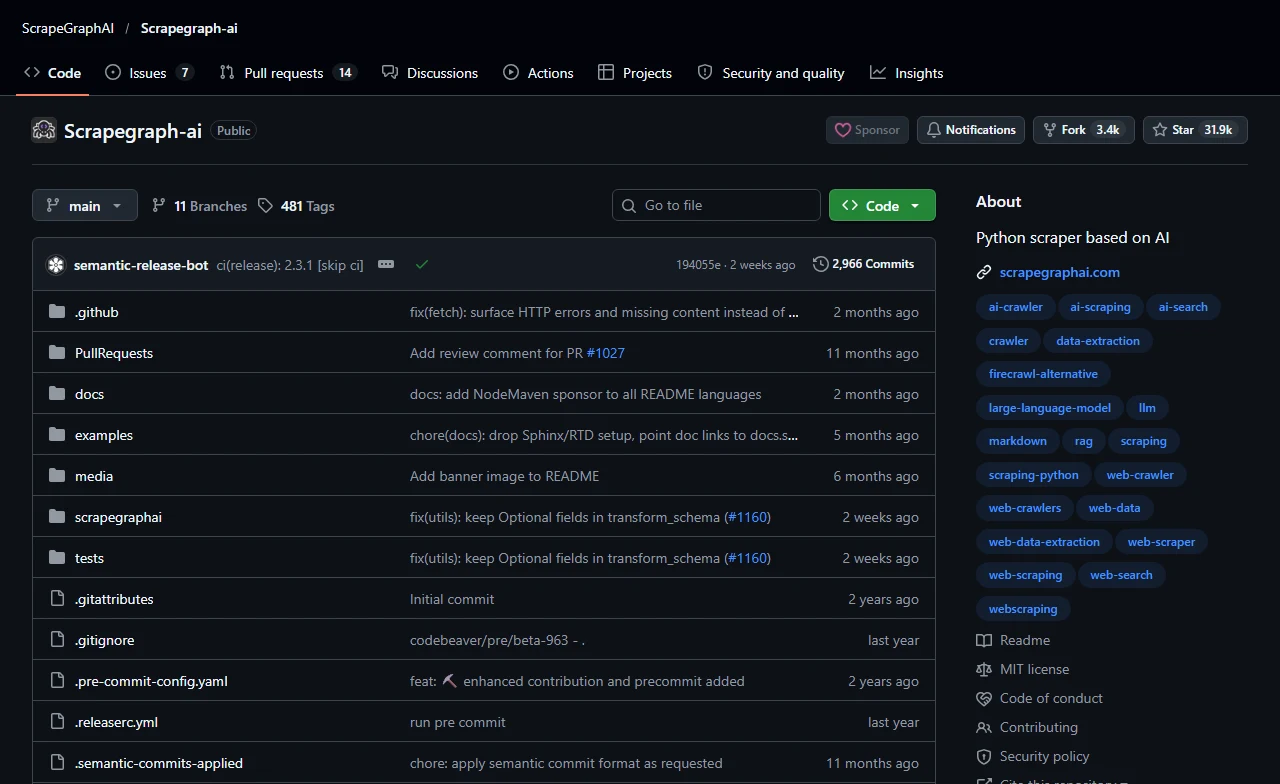
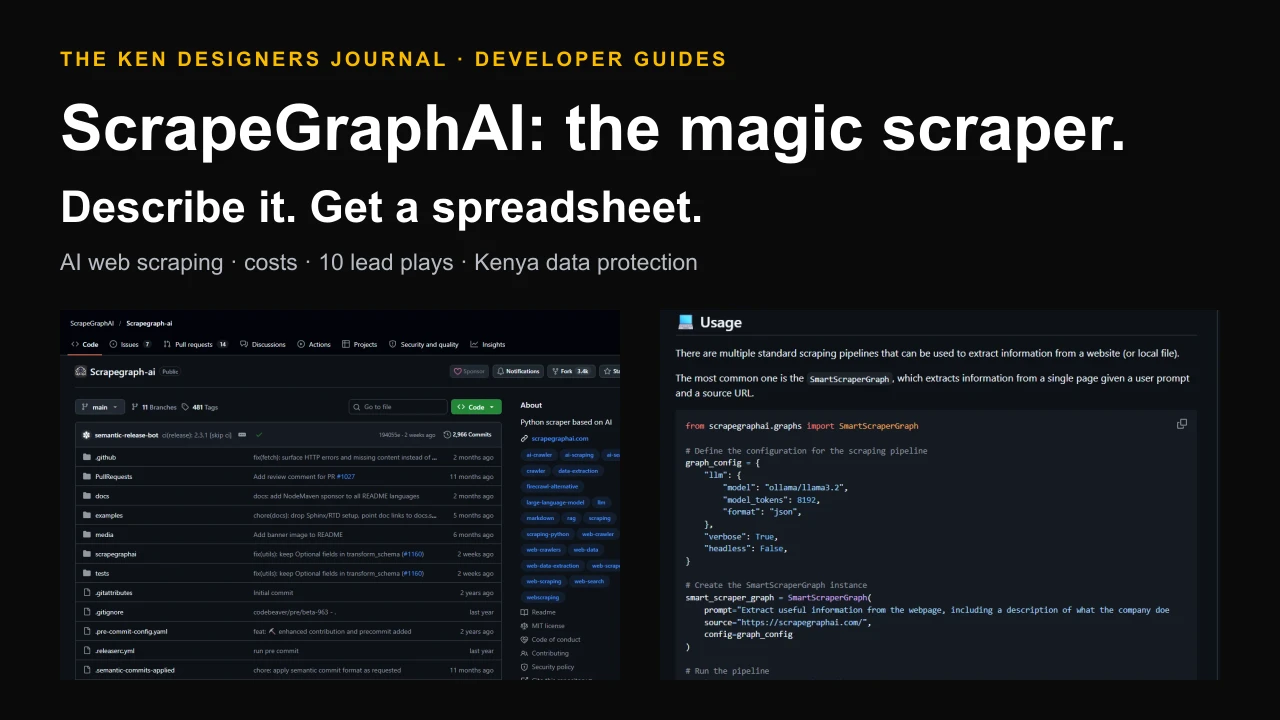
ScrapeGraphAI describes itself as a web scraping Python library that uses LLMs and direct graph logic to create scraping pipelines for websites and local documents such as XML, HTML, JSON and Markdown. Its tagline is "You Only Scrape Once": say which information you want, and the library extracts it.
When we checked on 18 October 2026, the repository had 31,917 stars, 3,350 forks, about 122 contributors and about 2,966 commits since January 2024, with version 2.3.1 released on 6 October 2026. The PyPI package scrapegraphai recorded about 32,500 downloads in the previous month. It is MIT-licensed and requires Python 3.12 or newer.
It works with hosted language models from OpenAI, Groq, Azure, Gemini and others, or with free local models through Ollama, which means your data and prompts can stay on your own machine. It also integrates with LangChain, LlamaIndex and CrewAI, low-code tools such as Zapier and n8n, and offers an MCP server for AI assistants.
How it works
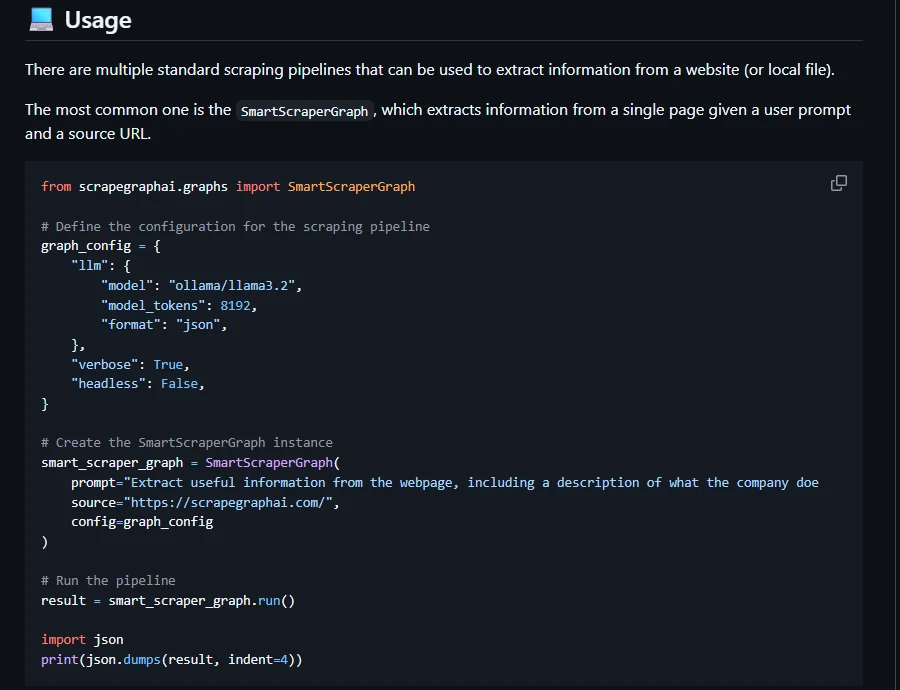
Each ScrapeGraphAI pipeline is a small graph of steps: fetch the page in a real browser (Playwright), clean and split its content, ask the language model to extract what your prompt describes, and return the answer as JSON. You can also pass a schema, a description of the exact fields you want, so every result has the same shape and drops straight into a spreadsheet or CRM.
The README lists several ready-made pipelines:
| Pipeline | What it does | Business use |
|---|---|---|
| SmartScraperGraph | Extracts what you ask for from one page | Profile a company, read a product page |
| SmartScraperMultiGraph | Same prompt across a list of pages, in parallel | Profile 50 company websites into one table |
| SearchGraph | Extracts from the top search results for a query | Research a market or topic quickly |
| ScriptCreatorGraph | Writes a Python scraping script for a page | Create a fast, model-free scraper for a site you check daily |
| SpeechGraph | Extracts information and generates an audio summary | Listen to a briefing on the move |
Why most businesses should try it
The result is not a magic list of customers. It is a much faster way to understand a market, find organisations that fit your offer and keep that knowledge fresh.
- Plain-English set-up. The hardest part of scraping, deciding what data matters, becomes a written prompt that non-developers can review and improve.
- It survives redesigns. Because the model reads meaning rather than page structure, one prompt works across many different websites and keeps working when they change.
- Structured output. With a schema, results come back in the same fields every time, ready for Excel, Google Sheets or a CRM.
- Private and cheap if you want. Run a local model with Ollama and your research never leaves your computer, at no per-request cost.
- Scales from one page to hundreds. The multi-page pipelines process lists of websites in parallel.
- Fits existing tools. Integrations with n8n, Zapier and AI frameworks let you plug it into workflows you already use.
- Open and inspectable. The library is MIT-licensed, so you can read exactly what it does and adapt it.
What it costs
There are three ways to run it, and the cost depends on your choice of model:
1. Local model (free per request). With Ollama and a model such as Llama 3.2 on your own computer, there is no per-page charge. You need a reasonably capable machine, and smaller local models are less accurate on complex pages, so test on your real targets.
2. Hosted model API (pennies per page). You pay the model provider for tokens. As an illustration, if a cleaned page sends about 4,000 tokens and the answer is about 300 tokens, a model priced at $1.25 per million input tokens and $2.50 per million output tokens (grok-4.3's listed price when we checked) costs about $0.005 + $0.00075, roughly $0.006 per page, or about $6 for 1,000 pages. Check your chosen model's current price.
3. ScrapeGraphAI's managed API. No browsers or infrastructure to manage, billed in credits. Its pricing page listed a free tier of 500 one-time credits, Starter at $20 a month for 10,000 credits, Growth at $100 for 100,000 and Pro at $500 for 750,000. An extract request was listed at 5 credits, so Starter covers about 2,000 page extractions, roughly $0.01 per page.
| Option | Cost | Best for |
|---|---|---|
| Open-source + local model (Ollama) | Free per page; your hardware and electricity | Private research, learning, steady small volumes |
| Open-source + hosted model | About $0.006 per page in our illustration | Better accuracy without running a model yourself |
| Managed API, Free | 500 one-time credits | Trying it out |
| Managed API, Starter | $20 a month, 10,000 credits (about 2,000 extractions) | Small teams who want no infrastructure |
| Managed API, Growth | $100 a month, 100,000 credits | Regular monitoring at scale |
The rules: getting leads without breaking the law
This section matters more than any code. This is a summary, not legal advice.
Personal data needs consent for marketing. Section 37 of Kenya's Data Protection Act, 2019 bars using personal data for commercial purposes unless the person has given express consent or a written law authorises it, and it asks for data to be anonymised where possible. Commentary on the Data Protection (General) Regulations, 2021, for example from Oraro & Company, notes that direct marketing additionally requires telling people that marketing is a purpose of collection, getting their consent, and offering a simple opt-out. The burden is on the business to prove consent: EY reported a 2025 determination by the Office of the Data Protection Commissioner against an employer that could not show consent for using an employee's image in marketing.
What that means in practice: do not scrape individuals' phone numbers or emails and send them bulk WhatsApp, SMS or email campaigns. Doing so is how businesses end up before the regulator, and it rarely works anyway.
Respect the website too. Read each site's terms of use and robots.txt, do not scrape behind logins, do not try to get around bot protection or blocks, go slowly, and stop if a site asks you to. Unauthorised access to computer systems is an offence under Kenya's Computer Misuse and Cybercrimes Act, 2018. Marketplaces and social networks often forbid scraping in their terms.
The safe pattern: collect information about organisations (what they do, where they are, what they buy, their published enquiry channels), keep as little personal data as possible, and contact a business through the channel it publishes for enquiries, with a relevant, individual message. Before adding anyone to marketing lists, get their consent, record it, and give them a simple way to opt out.
Ten lead and growth plays for Kenyan businesses
Each play below targets public information about organisations, prices or markets. Check every source's terms before you start, and keep personal data out of your results unless you have a lawful basis.
| Play | What to extract | How it becomes revenue |
|---|---|---|
| 1. Tender monitoring | Published tender titles, buyers, categories and deadlines | Bid early on contracts that match what you sell |
| 2. Expansion signals | Organisations announcing new branches, launches or funding in the news | Offer your service when they need it most |
| 3. Hiring signals | Organisations advertising roles that imply a need you serve | A firm hiring five sales reps may need a CRM or training |
| 4. Supplier discovery | Manufacturers' and distributors' product ranges and wholesale enquiry pages | Better margins and new products for your store |
| 5. Competitor price watch | Public prices and stock for the products you sell | Price confidently; spot gaps in the market |
| 6. Catalogue enrichment | Specifications from your suppliers' sites (with their permission) | Better product pages that convert and rank |
| 7. Event exhibitor lists | Organisations exhibiting at trade fairs in your sector | A focused list of active businesses to approach |
| 8. Review mining | Themes in public reviews of your products and competitors' | Fix complaints; sharpen your marketing message |
| 9. Sector directories | Organisation-level details from public directories, such as schools or hotels | A target list for an industry-specific offer |
| 10. Market mapping | Who sells what, where and at what price in a niche | Decide what to stock or which segment to enter |
Step 1: install it
You need Python 3.12 or newer. Install the library in a virtual environment, then install the Playwright browser it uses to load pages. For the free, private route, install Ollama and pull a model; for better accuracy, use a hosted model by changing one line in the configuration.
# Python 3.12+ in a virtual environment
python -m venv .venv
# Windows: .venv\Scripts\activate    macOS/Linux: source .venv/bin/activate
pip install scrapegraphai pydantic
playwright install            # the browser ScrapeGraphAI uses to load pages

# Free, private option: run a local model with Ollama (https://ollama.com)
ollama pull llama3.2Step 2: profile a list of companies into a spreadsheet
This is the core lead-research workflow. Start with a list of organisation websites, from a trade-fair exhibitor list or a sector directory, for example. ScrapeGraphAI visits each one and fills in the same fields: what the organisation does, its industry, its town, its products or services and its published enquiry page. The prompt deliberately excludes the names of individual staff.
The schema makes the output predictable, and the script writes a CSV you can open in Excel or import into a CRM. Replace the example URLs with your own list.
# company_profiles.py - turn a list of company websites into a clean spreadsheet
import csv
from pydantic import BaseModel
from scrapegraphai.graphs import SmartScraperMultiGraph

class Company(BaseModel):
    name: str
    what_they_do: str
    industry: str
    town: str | None = None
    products_or_services: list[str]
    business_enquiry_page: str | None = None   # the organisation's published contact page

class Companies(BaseModel):
    companies: list[Company]

config = {
    "llm": {"model": "ollama/llama3.2", "model_tokens": 8192, "format": "json"},
    # or a hosted model: {"api_key": "YOUR_KEY", "model": "openai/gpt-4o-mini"}
    "headless": True,
}

graph = SmartScraperMultiGraph(
    prompt=("Describe this organisation: its name, what it does, its industry, the town "
            "it is based in, its main products or services, and the URL of its "
            "business contact or enquiry page. Do not collect names of individual staff."),
    source=[
        "https://example-distributor.co.ke/about",
        "https://example-school.ac.ke",
    ],
    config=config,
    schema=Companies,
)
rows = graph.run().get("companies", [])

with open("companies.csv", "w", newline="", encoding="utf-8") as f:
    writer = csv.DictWriter(f, fieldnames=list(Company.model_fields))
    writer.writeheader()
    for row in rows:
        writer.writerow({k: (", ".join(v) if isinstance(v, list) else v) for k, v in row.items()})
Step 3: watch prices for the products you sell
For an online store, knowing the market price is often worth more than any lead list. This script checks a list of public product pages once a day and appends the price and stock status to a CSV, so you can chart how competitors price over time.
It deliberately goes slowly, one page every ten seconds, and only reads public pages. Check each site's terms first, and if a site blocks you or asks you to stop, stop.
# price_watch.py - track public prices for the products you sell (run daily)
import csv, datetime, time
from pydantic import BaseModel
from scrapegraphai.graphs import SmartScraperGraph

class Offer(BaseModel):
    product: str
    price_kes: float | None
    in_stock: bool | None

PAGES = {  # public product pages you are allowed to read; check each site's terms
    "Blender 1.5L": "https://example-shop.co.ke/blender-1-5l",
}
config = {"llm": {"model": "ollama/llama3.2", "model_tokens": 8192, "format": "json"},
          "headless": True}

today = datetime.date.today().isoformat()
with open("prices.csv", "a", newline="", encoding="utf-8") as f:
    out = csv.writer(f)
    for name, url in PAGES.items():
        result = SmartScraperGraph(
            prompt="Give the product name, its current price in Kenyan shillings as a "
                   "number, and whether it is in stock.",
            source=url, config=config, schema=Offer).run()
        out.writerow([today, name, url, result.get("price_kes"), result.get("in_stock")])
        time.sleep(10)          # be polite: one page at a time, slowly
Step 4: turn data into deals
Scraping finds the opportunities. Relevance, speed and respect for people's choices turn them into customers.
- Qualify. Add a column for fit: does this organisation match your best customers by industry, size and location? Remove the rest.
- Prioritise. Score by signals: a new branch, a matching tender, a hiring spree. Contact the top 20, not all 500.
- Load them into a CRM. Import the CSV into a CRM such as Twenty so every organisation has an owner and a follow-up date.
- Approach personally. Use the organisation's published enquiry channel with a message that shows you understand its business. One relevant message beats a hundred generic ones.
- Capture consent. When someone responds, ask whether they would like to receive updates, record their answer and offer an easy opt-out.
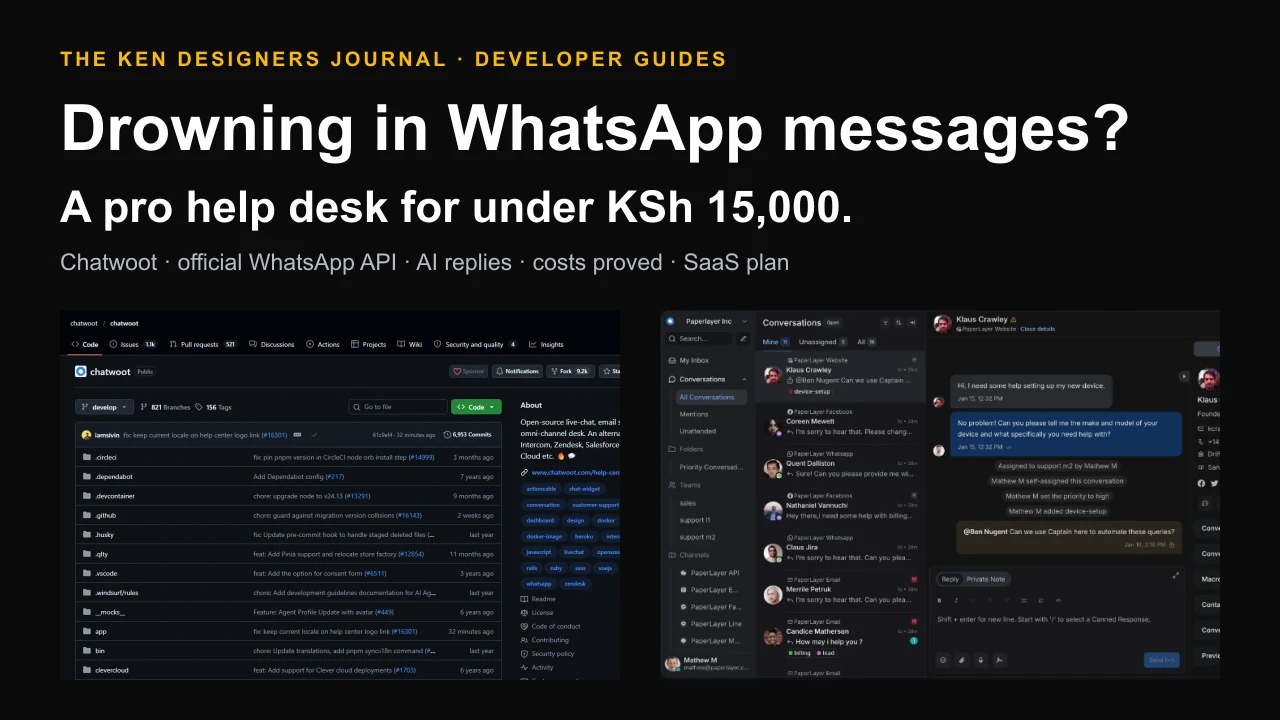
- Answer fast. When replies come in on WhatsApp, a shared inbox such as the one in our WhatsApp help desk guide makes sure no lead goes unanswered.
Good scraping manners
Responsible scraping is also good business: sites you treat well stay accessible, and prospects you approach respectfully are more likely to buy.
- Go slowly. Add pauses between requests and run jobs at quiet hours. Never hammer a small business's website.
- Cache results. Fetch a page once and reuse it, instead of reloading it for every question.
- Respect robots.txt and terms. The library includes a robots.txt node; check the rules yourself for each site you use.
- Stay public. No logins, no paywalls, no getting around blocks or bot protection.
- Store the minimum. Keep organisation data; avoid personal data unless you have a lawful basis, and delete what you do not need.
- Verify before acting. Language models can misread pages. Spot-check results before anyone relies on them.
Turning ScrapeGraphAI into a business
Lead research as a service. Many Kenyan B2B companies would pay for a monthly, qualified list of organisations that match their offer, with signals such as tenders and expansions, delivered into their CRM. Sell research and qualification, not personal contact lists.
Price intelligence for retailers. A dashboard that tracks public prices for a store's product range, with alerts when competitors change prices, is a natural subscription for ecommerce businesses. Check each source's terms and favour sources that allow it.
Catalogue data services. Help online stores turn suppliers' product information into complete, consistent product pages, with suppliers' permission.
Market reports. Periodic reports on a niche, such as prices, new entrants and product trends, sold to businesses deciding what to stock or where to expand.
The library is MIT-licensed, so you can build commercial services on it. Your obligations come from the data: website terms, copyright in content, and the Data Protection Act for anything personal.
Common mistakes
Start with one play, one source and twenty organisations. Prove it leads to conversations before scaling up.
- Scraping people instead of organisations. Personal contact lists bring legal risk and poor results.
- Bulk-messaging scraped numbers. Direct marketing without consent and an opt-out breaches the Data Protection Act.
- Ignoring website terms. Some sites forbid scraping. Choose sources that allow it, or ask.
- Trusting output blindly. Spot-check a sample of every run, especially with small local models.
- Running too fast. Aggressive scraping gets you blocked and harms the sites you depend on.
- Collecting data with no plan. Decide what decision the data supports before you scrape anything.
A practical 14-day plan
Days 1 to 2: write down your ideal customer: industry, size, location and the signal that shows they need you now. Pick one play from the list above.
Days 3 to 4: install ScrapeGraphAI and Ollama, and run the company-profile script on ten organisations you already know, to check accuracy.
Days 5 to 7: find one public source of organisations for your chosen play, check its terms, and build a list of 50 to 100.
Days 8 to 10: qualify and score the list, load the top 20 into your CRM and write a personal first message for each.
Days 11 to 14: send the messages through the organisations' published channels, record replies and consent, and measure how many conversations you started. Improve the prompt and the qualification rules, then repeat. Use the downloadable checklist below to stay on track.
Questions people ask
What is ScrapeGraphAI?
ScrapeGraphAI is an open-source Python library, MIT-licensed, that uses a large language model to extract information from websites and documents. You describe what you want in plain English, optionally with a schema of fields, and it returns structured JSON.
Is ScrapeGraphAI free?
The library is free. With a local model through Ollama there is no per-page cost. With a hosted model you pay the provider for tokens, and ScrapeGraphAI's managed API has a free tier of 500 credits and paid plans from $20 a month when we checked.
Is web scraping legal in Kenya?
Scraping public information about organisations can be lawful, but website terms of use, copyright and the Data Protection Act still apply. Do not access systems without authorisation or get around blocks, and do not use people's personal data for marketing without their express consent and an easy opt-out. Take legal advice for significant projects.
Can I use ScrapeGraphAI to collect phone numbers for WhatsApp marketing?
We advise against it. Under Kenya's Data Protection Act, using personal data for direct marketing requires express consent, notice and an opt-out, and the business must be able to prove consent. Research organisations instead, and contact them through their published business channels.
Do I need to be a developer to use it?
The open-source library needs basic Python. Non-developers can use it through integrations such as Zapier and n8n, or through the managed API, and the prompts themselves are plain English.
How accurate is it?
It depends on the model and the page. Larger hosted models are generally more accurate than small local ones on complex pages. Always spot-check results, especially before acting on them.
Put this guide to work
Download a practical template, fill in your requirements and bring it to your project conversation.
- ScrapeGraphAI lead research checklist ↓
Ideal customer definition, source and terms checks, data protection rules, set-up steps, qualification and outreach tracking in one printable list.
Sources and research notes
Sources checked 18 October 2026. Recommendations and labelled scenarios are editorial guidance. Provider prices and capabilities can change; confirm them before purchasing.
- ScrapeGraphAI: upstream repository
Purpose, pipelines, supported models, integrations, open-source vs managed comparison and repository metrics. Screenshots captured from this repository.
- ScrapeGraphAI: MIT licence
Licence for the library.
- ScrapeGraphAI on PyPI
Package distribution; download counts from pypistats.
- ScrapeGraphAI pricing
Managed API plans, credits and per-request credit costs.
- ScrapeGraphAI documentation
API, SDKs and integrations.
- Ollama
Running local language models for private, per-request-free extraction.
- xAI: models and pricing
Token prices used in the hosted-model cost illustration.
- Oraro & Company: direct marketing in Kenya
Section 37 of the Data Protection Act and the direct-marketing conditions in the 2021 General Regulations.
- EY: Kenya Data Protection Commissioner on consent for commercial use
2025 ODPC determination on proving consent for commercial use of personal data.
- CIPIT: overview of the Kenyan law on commercial use of personal data
Background on commercial use of personal data in Kenya.
- Office of the Data Protection Commissioner, Kenya
Regulator for the Data Protection Act, 2019.

About this guide
AI-assisted research and original buyer checklists from the studio. Official documentation is linked above; examples are illustrative and do not describe verified client outcomes.
Ask Ken on WhatsApp