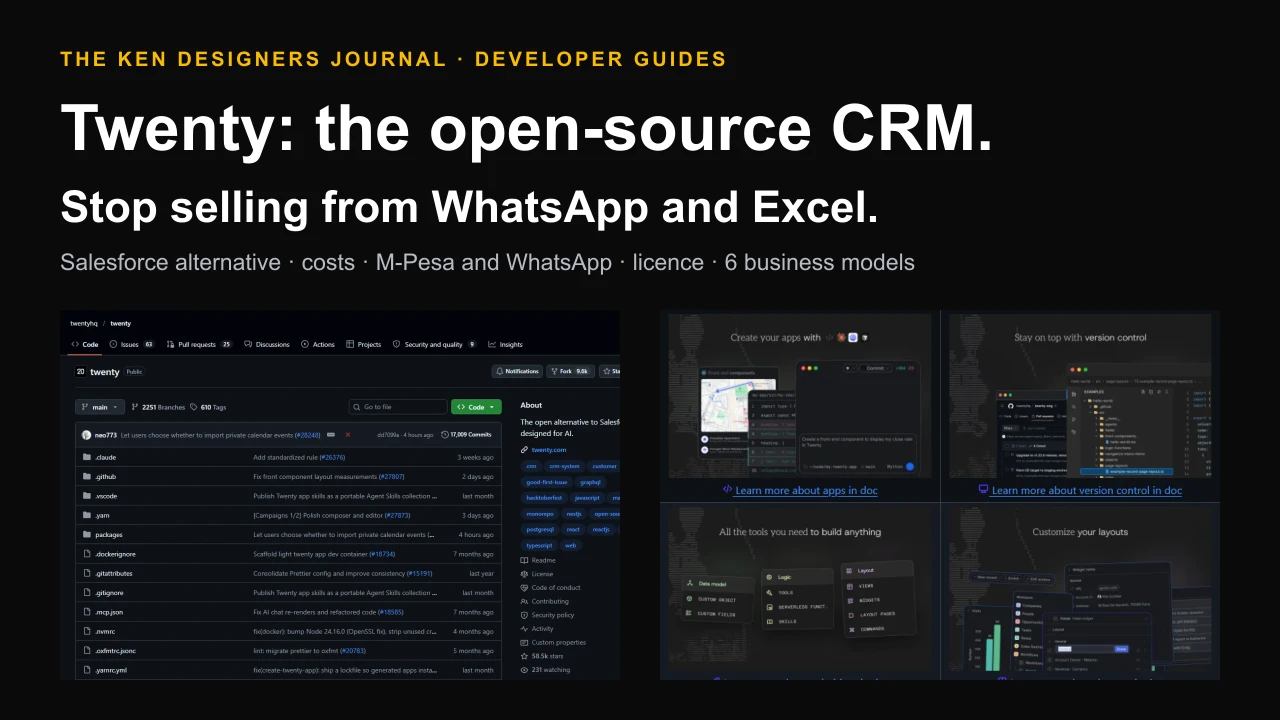
Ask most growing Kenyan businesses where their sales pipeline lives and the honest answer is: in WhatsApp chats, an Excel sheet that two people edit, and the head of whoever made the last call. Leads go cold because nobody followed up, the owner cannot see what is about to close, and when a salesperson leaves, their customers often leave with them. A CRM fixes this, but the big names are priced for big budgets. Twenty is an open-source CRM, an open alternative to Salesforce designed for AI, with 58,000 GitHub stars and new releases every few days. This guide explains what it does, what it really costs to run on the cloud or your own server, how to set it up for a Kenyan business with M-Pesa and WhatsApp, how its licence works for anyone who wants to sell services around it, and six ways to build a business on it, including a SaaS.
The pain: sales that live in chats and spreadsheets
Every one of these is a process problem that a CRM, a shared customer record with a pipeline and reminders, is designed to solve. The question is cost and fit, which is where Twenty comes in.
- Leads go cold. An enquiry arrives on WhatsApp at 9pm, someone means to reply, and nobody does.
- No pipeline. The owner cannot see how many deals are open, what stage they are at or what will close this month.
- No follow-up system. Quotes are sent and forgotten. Nobody gets reminded to call back on Thursday.
- Contacts leave with staff. Customer details sit in personal phones and personal email.
- Spreadsheet chaos. Two versions of the same sheet, overwritten columns and no history of who changed what.
- No answers for management. Which lead source brings paying customers? Which salesperson converts best? Nobody can say.
What Twenty is
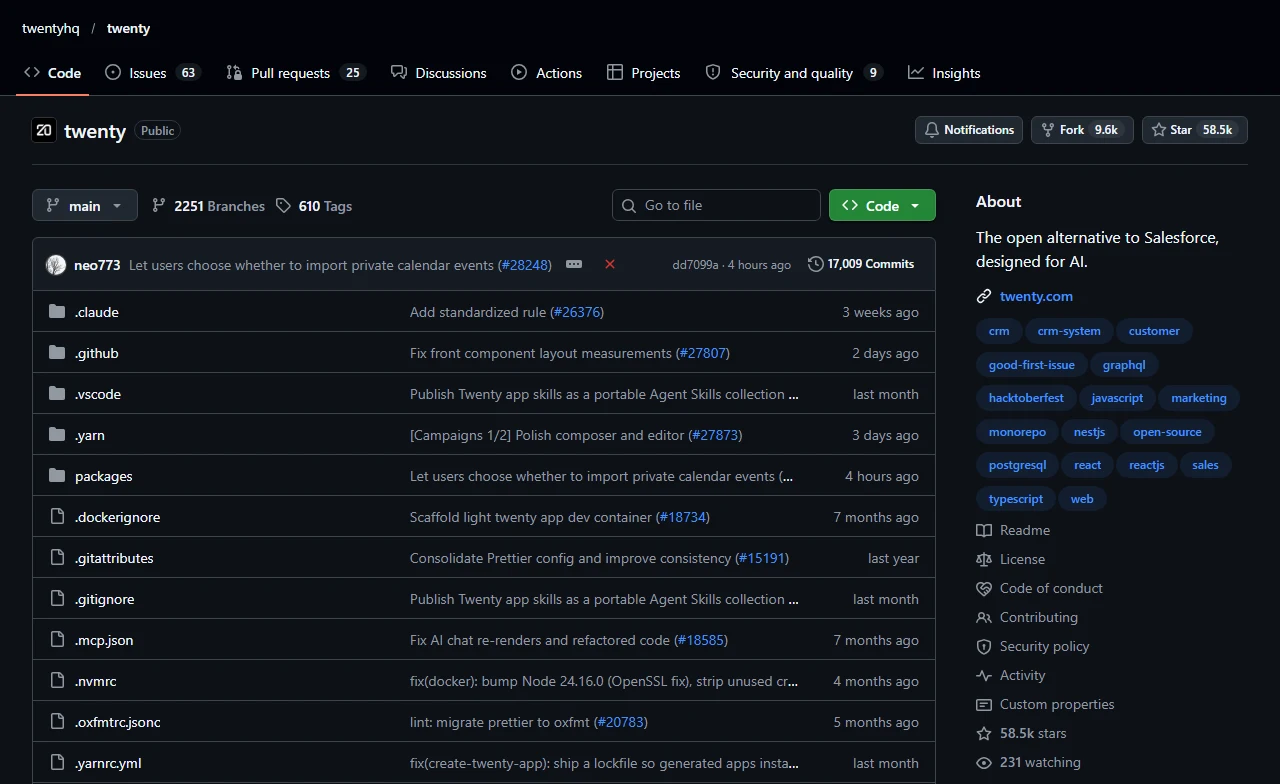
Twenty calls itself the number one open-source CRM and the open alternative to Salesforce, designed for AI. Its idea is that a CRM should be something technical teams can build, ship and version like the rest of their software, rather than a closed product you can only configure through menus.
It is a large, active project. When we checked on 18 October 2026, the repository had 58,492 stars, 9,582 forks, about 466 contributors and about 17,009 commits since December 2022, with version 2.48.0 released on 16 October 2026. It is written in TypeScript with React, NestJS, GraphQL and PostgreSQL.
Twenty.com, PBC, the company behind it, sells a hosted cloud and an enterprise edition. The open-source core is free to self-host, which is what makes it interesting for Kenyan businesses and the developers who serve them.
What it does
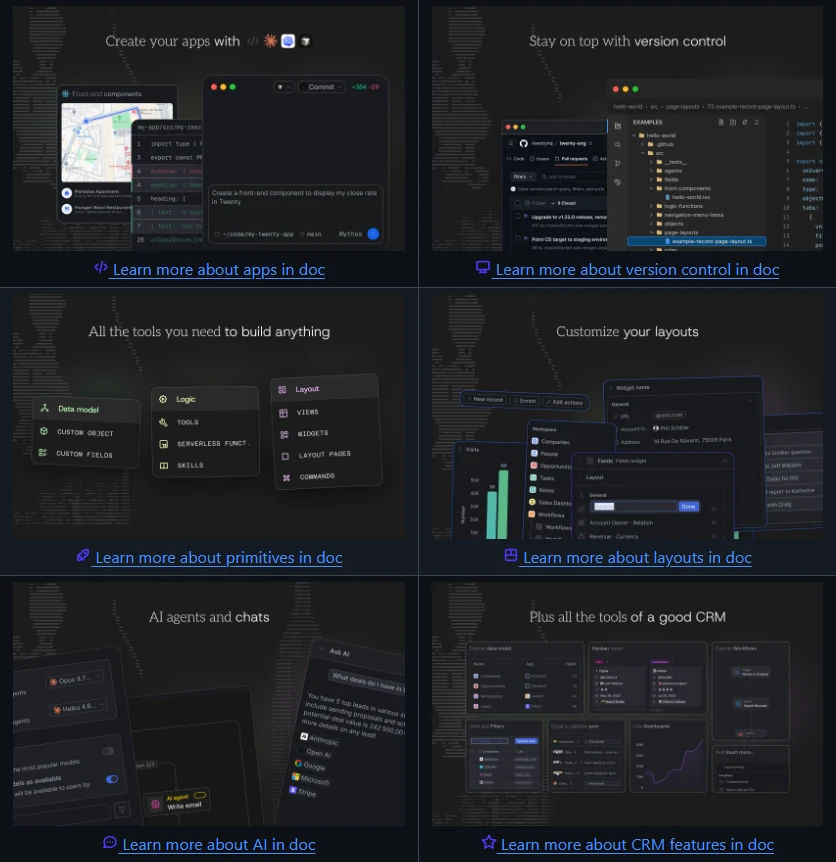
Twenty's documentation and README describe these capabilities:
- A data model you control. Standard records for people, companies and opportunities, plus custom objects and fields for whatever your business sells, such as plots, vehicles, students or policies.
- Views and layouts. Table and kanban views of any object, saved filters, and customisable record pages and sidebar.
- Email and calendar sync. Connect team mailboxes and calendars so conversations and meetings appear on the customer record.
- Workflows. Visual automation with triggers and actions, including a webhook trigger that lets other systems, such as M-Pesa or WhatsApp tools, start a workflow.
- AI agents and chat. Ask questions of your CRM data, and use AI agents as steps inside workflows.
- Dashboards. Real-time charts of your pipeline and performance.
- Permissions. Roles and access control, with row-level permissions on paid plans.
- Import, export and API. CSV import and export, REST and GraphQL APIs and webhooks.
- Apps as code. An MIT-licensed SDK to define objects, views, logic functions, interface components and agents in TypeScript, with skills for AI coding agents such as Claude Code, Codex and Cursor.
Workflows: where a CRM starts saving time
Twenty's workflow documentation describes four triggers and a set of actions that can be chained together. This is where repetitive admin disappears:
| Trigger | When it fires | Example |
|---|---|---|
| Record event | A record is created, updated, deleted or upserted | New lead created: assign to a salesperson and create a follow-up task for tomorrow |
| Manual | A user clicks a button on one or many records | Send quote: generate the email from the opportunity's details |
| Schedule | On a recurring interval | Every Monday 8am: email each owner their stale deals |
| Webhook | An external system sends an HTTP POST | M-Pesa payment confirmed: mark the deal paid and record the receipt |
What it costs: cloud vs your own server
When we checked Twenty's pricing, the cloud Pro plan was $9 per user per month and Organization $19 per user per month, both billed yearly, with Enterprise from $50,000 a year. Organization adds row-level permissions, SAML or OIDC single sign-on and a custom domain. Self-hosting the open-source core is free; you pay for the server and your time.
Twenty's Docker guide says the server needs at least 2 GB of RAM. A DigitalOcean Basic Droplet with 2 GB was listed at $12 a month and one with 4 GB and 2 vCPUs at $24.
Worked example for a 10-person sales team: the cloud Pro plan costs 10 x $9 = $90 a month, billed yearly, with nothing to maintain. Self-hosting on a 4 GB server costs about $24, plus an estimated $5 for off-server backups, so about $29 a month, but someone must install, update, back up and secure it. For a business without technical staff, the difference often pays for a managed-hosting provider, which is one of the business models below.
| Option | Price | Best for |
|---|---|---|
| Self-hosted open-source core | Free software; server from about $12 to $24 a month | Teams with technical help, data kept on their own server |
| Cloud Pro | $9 per user per month, billed yearly | Small teams who want no maintenance |
| Cloud Organization | $19 per user per month, billed yearly | Teams needing SSO, row-level permissions or a custom domain |
| Enterprise | From $50,000 a year | Large organisations needing isolation, SCIM and an SLA |
Step 1: install Twenty on your own server
Twenty's self-hosting guide offers a one-line install script or a manual set-up with Docker Compose. The compose file runs four services: the Twenty server, a background worker, PostgreSQL and Redis.
Two settings deserve care. ENCRYPTION_KEY protects secrets stored in the database, and the guide warns that losing it means losing access to every one of them, so store it in your password manager. PG_DATABASE_PASSWORD must not contain special characters such as @, /, # or %, because they break the database connection URL. Set SERVER_URL to the public HTTPS address your team will use.
# On an Ubuntu server with Docker (Twenty needs at least 2 GB of RAM)
# Option 1: the official install script (latest stable release)
bash <(curl -sL https://raw.githubusercontent.com/twentyhq/twenty/main/packages/twenty-docker/scripts/install.sh)

# Or pin an exact release (aliases such as "latest" are not accepted here)
VERSION=v2.48.0 bash <(curl -sL https://raw.githubusercontent.com/twentyhq/twenty/main/packages/twenty-docker/scripts/install.sh)

# Option 2: manual set-up
curl -o .env https://raw.githubusercontent.com/twentyhq/twenty/refs/heads/main/packages/twenty-docker/.env.example
openssl rand -base64 32     # -> ENCRYPTION_KEY in .env (back it up: losing it loses stored secrets)
openssl rand -hex 32        # -> PG_DATABASE_PASSWORD in .env (no special characters)
# set SERVER_URL=https://crm.yourbusiness.co.ke in .env
curl -o docker-compose.yml https://raw.githubusercontent.com/twentyhq/twenty/refs/heads/main/packages/twenty-docker/docker-compose.yml
docker compose up -d
curl http://localhost:3000  # check it answers
Step 2: HTTPS, backups and upgrades
Put HTTPS in front with a reverse proxy such as Caddy, which obtains certificates automatically. Then schedule a nightly database backup with the command from Twenty's guide, and copy the backups off the server.
Upgrades: Twenty releases often. Pin a version with the install script's VERSION setting, back up before each upgrade, and test new releases on a copy before upgrading the instance your sales team depends on. After changing the .env file, restart with docker compose down and docker compose up -d.
# /etc/caddy/Caddyfile - HTTPS for your CRM (Caddy obtains the certificate)
crm.yourbusiness.co.ke {
    reverse_proxy 127.0.0.1:3000
}

# Nightly database backup at 01:30 (crontab -e), kept off the server afterwards
30 1 * * * docker exec twenty-postgres pg_dump -U postgres twenty > /backups/twenty_$(date +\%Y\%m\%d).sql
Step 3: fit it to a Kenyan business
Out of the box, Twenty thinks in people, companies and opportunities. Most Kenyan businesses need a few extra objects and two local connections: M-Pesa and WhatsApp.
Custom objects. A land seller needs plots and site visits; a school needs applicants and intake terms; a distributor needs outlets and orders. You can add them in the settings, or define them as code with the SDK so the same set-up can be installed for many clients, as in the example below.
M-Pesa. If your website or app already receives Safaricom Daraja payment callbacks, as described in our guide to setting up M-Pesa on your website, forward each confirmed payment to a Twenty workflow that starts with a webhook trigger. The workflow can find the customer by phone number, move the deal to paid and record the receipt number.
WhatsApp. Most leads start on WhatsApp. If you run a shared WhatsApp inbox, as in our WhatsApp help desk guide, use its webhooks to create or update a person in Twenty when a new customer writes, so every enquiry enters the pipeline.
Invoicing and tax. Twenty is not an accounting system. Keep invoices and KRA eTIMS compliance in your accounting or invoicing tool, as covered in our guide to KRA eTIMS for online stores, and sync the invoice reference to the deal.
// A custom "Plot" object for a land and property seller, defined as code with
// the MIT-licensed Twenty SDK (npx create-twenty-app my-app, then publish it)
import { defineObject, FieldType } from 'twenty-sdk/define';

export default defineObject({
  nameSingular: 'plot',
  namePlural: 'plots',
  labelSingular: 'Plot',
  labelPlural: 'Plots',
  fields: [
    { name: 'name', label: 'Plot name', type: FieldType.TEXT },
    { name: 'location', label: 'Location', type: FieldType.TEXT },
    { name: 'price', label: 'Asking price', type: FieldType.CURRENCY },
    { name: 'siteVisit', label: 'Next site visit', type: FieldType.DATE_TIME },
  ],
});

// Ship it to your workspace: npx twenty app:publish --private# mpesa_to_crm.py - when your Daraja callback confirms a payment, send it to a
# Twenty workflow that starts with a Webhook trigger (Twenty shows its URL).
import os, requests
TWENTY_WORKFLOW_URL = os.environ["TWENTY_PAYMENT_WEBHOOK_URL"]
def on_mpesa_confirmed(callback: dict):
items = {i["Name"]: i.get("Value") for i in
callback["Body"]["stkCallback"]["CallbackMetadata"]["Item"]}
payload = {
"phone": str(items.get("PhoneNumber")),
"amount": items.get("Amount"),
"receipt": items.get("MpesaReceiptNumber"),
}
requests.post(TWENTY_WORKFLOW_URL, json=payload, timeout=15)
# In the Twenty workflow: find the Person by phone -> update the Opportunity
# to "Paid" -> record the receipt -> notify the account owner.Step 4: roll it out so people actually use it
A CRM succeeds or fails on adoption. The software is the easy part.
- Start with one pipeline. The one the owner asks about every day, such as new enquiries to paid customers.
- Five to seven stages, no more. For example: new enquiry, contacted, quote sent, negotiating, won, lost.
- Few required fields. Name, phone, source and value. Every extra field lowers the chance staff fill it in.
- Import the past. Load existing contacts and open deals from Excel with CSV import so day one is useful.
- Automate the follow-up. A workflow that creates a call-back task whenever a quote is sent is worth more than any dashboard.
- Make it the only place. Agree that a deal not in the CRM does not exist for commission or reporting. That single rule drives adoption.
- Review weekly. A 15-minute Monday pipeline review in the CRM builds the habit faster than any training.
The licence, explained for business
Twenty's licence has four parts, and each matters if you want to earn money around it. This is a summary, not legal advice; read the LICENSE file and take advice for significant decisions.
- Most of Twenty is AGPLv3. You may use, self-host and modify it. The AGPL's network clause means that if you modify Twenty and let users interact with your modified version over a network, you must offer them its source code under the AGPL.
- The Application Exception. An app that interacts with Twenty only through its published APIs, webhooks, app manifest, logic functions, front components and SDKs, without modifying Twenty's own source, is not governed by the AGPL. You may license such apps on any terms, including proprietary. This is what makes paid integrations and industry templates viable.
- MIT packages. The developer toolkit (the Twenty CLI and SDKs, create-twenty-app and shared packages), the twenty-ui component library and the apps in packages/twenty-apps are MIT-licensed.
- Commercial files. Files marked with an Enterprise licence header can only be used in production with a paid Twenty Enterprise subscription. When we checked, these included single sign-on, row-level permissions, custom domains, event logs, usage analytics, record sharing and Twenty's own billing module.
- Trademark. Twenty's trademark policy lets you say truthfully that you use, build on or host Twenty, including "we host Twenty for our clients", and to name an app "X for Twenty" with your brand dominant. You need permission to use Twenty in your company, product or domain name, to imply an official offering, or to use its logo as your own.
Six ways to build a business on Twenty
Most money around open-source business software comes from helping people adopt it, and from what you build on top. The table compares six routes; each is described below. Effort and risk ratings are editorial judgements.
| Business model | Best buyer | Startup effort | Time to first revenue |
|---|---|---|---|
| 1. Implementation and migration | SMEs selling through WhatsApp and Excel | Low | Weeks |
| 2. Managed hosting and support | Businesses wanting their own data, local support | Low | Weeks |
| 3. Industry CRM templates | One industry, such as property or schools | Medium | 1 to 3 months |
| 4. Kenyan integration apps | Any Twenty user in Kenya | Medium | 1 to 3 months |
| 5. CRM administration retainers | Companies with a CRM and no admin | Low | Weeks |
| 6. Hosted vertical CRM SaaS | Many small firms in one industry | High | 3 to 6 months |
Business model 1: CRM implementation and migration
Who pays. Kenyan SMEs whose sales live in WhatsApp chats, Excel files and notebooks: distributors, real estate agencies, training colleges, clinics, B2B suppliers.
What you sell. A fixed-scope project: map the sales process, design the objects and pipeline stages, import contacts and deals from spreadsheets, set up views and workflows, and train the team.
How Twenty helps. Custom objects and fields, kanban and table views, CSV import, workflows and dashboards come out of the box, so your work is fitting it to the business rather than writing a CRM from scratch.
Pricing model. Illustrative: a discovery fee, then a fixed implementation fee based on objects, imports and workflows, plus a training day.
Main risk. Building a CRM nobody uses. Start with the one pipeline the owner checks every day, and keep fields to what staff will actually fill in.
Business model 2: Managed hosting and support
Who pays. Businesses that want their data on their own infrastructure, or in shillings with local support, but have no one to run servers.
What you sell. A private Twenty instance per client, HTTPS, nightly backups, monitored uptime, tested upgrades and a support channel.
How Twenty helps. Docker Compose and an install script make deployment repeatable. Twenty's trademark policy explicitly allows saying "we host Twenty for our clients".
Pricing model. Illustrative: a monthly fee per instance that covers server, backups and a set number of support hours.
Main risk. Upgrades that break customisations. Pin versions, test each release on a staging copy, and back up before every upgrade.
Business model 3: Industry CRM templates
Who pays. One industry with a shared sales process: land and property sellers, private schools' admissions, car dealers, insurance agents, event venues.
What you sell. A ready-made CRM for that industry: objects such as plots, applicants or vehicles, the right pipeline stages, dashboards and follow-up workflows, installed in days.
How Twenty helps. Apps can define objects, views, logic and AI agents as TypeScript and be published to a workspace, so one template can be installed repeatedly.
Pricing model. Illustrative: a set-up fee per business plus monthly hosting and support, or a licence for the app itself.
Main risk. Too much customisation per client. Keep a standard template and charge separately for changes.
Business model 4: Kenyan integration apps
Who pays. Any Twenty user in Kenya, including those on Twenty's own cloud.
What you sell. Apps that connect Twenty to local systems: M-Pesa payments onto deals, WhatsApp conversations logged as activities, SMS reminders, KRA eTIMS invoice references.
How Twenty helps. Twenty's licence includes an Application Exception: apps that talk to Twenty only through its published APIs, webhooks, manifest and SDKs are not governed by the AGPL and can use any licence, including proprietary.
Pricing model. Illustrative: a monthly subscription per workspace, or a set-up fee for configuring the integration.
Main risk. Integration support. Payment and messaging providers change their APIs; budget time every month for maintenance.
Business model 5: CRM administration as a service
Who pays. Companies that already use a CRM but have no one to maintain it.
What you sell. A monthly retainer: new fields and views, workflow changes, data clean-ups, user training, monthly sales reports for management.
How Twenty helps. Most changes are configuration, not code, so an experienced admin can deliver quickly and repeatably.
Pricing model. Illustrative: a monthly retainer with included hours and a rate for extra work.
Main risk. Unclear scope. Write down what counts as a change and response times.
Business model 6: A hosted vertical CRM SaaS
Who pays. Many small businesses in one industry who want a simple CRM, priced in shillings and paid by M-Pesa.
What you sell. Sign up, pay by M-Pesa, and get a ready workspace with the industry template, onboarding and support.
How Twenty helps. The core is free to self-host, and the template and integrations are apps you own. You add sign-up, billing and onboarding, as described in the SaaS section below.
Pricing model. Illustrative: a monthly price per business or per user in shillings, with an annual discount.
Main risk. Licensing and support load. Read the SaaS section before building, and price support in from the start.
How to make it a SaaS
A SaaS here means businesses sign up on your website, pay you monthly, and get a ready-to-use CRM for their industry. Twenty gives you the CRM; you add the rest. A practical way to build it:
- Choose a niche and a brand. For example, a CRM for Kenyan land sellers. Use your own name and logo, and say it is built on Twenty.
- Decide on isolation. The simplest model is one Twenty instance per client: clean data separation, independent upgrades and a straightforward licence position. It costs more per client than a shared installation, so price for it, or investigate Twenty's own multi-workspace options and their licence implications carefully.
- Keep your value in apps. Put your industry objects, workflows, integrations and agents into Twenty apps that use the published interfaces. Under the Application Exception, they can stay proprietary.
- If you modify Twenty's core, publish those changes. Offer the modified source to your users as the AGPL requires. Many SaaS businesses do this happily; the value is in service, templates and integrations.
- Build your own billing. Twenty's billing module is enterprise-licensed, so use your own sign-up and subscription system. In Kenya, Paystack lists M-Pesa at 1.5% per transaction with no monthly fee.
- Avoid enterprise features such as SSO and row-level permissions in production unless you buy a subscription, or design the product so clients who need them use Twenty's own Organization plan.
- Automate provisioning. Script the creation of a new instance, HTTPS, the template app and an admin user, so onboarding a client takes minutes.
- Price in support from day one. Onboarding, data imports and training are where clients need you most.
SaaS unit economics: an illustrative example
Assume one isolated instance per client on a 2 GB server at $12 a month, plus an estimated $3 for backups, and that you spend one hour a month supporting each client. If you charge the equivalent of $40 a month by M-Pesa, the payment fee at 1.5% is $0.60, leaving about $24.40 after infrastructure to pay for that hour of support, marketing and profit.
Two lessons follow. First, per-client instances push prices up, so the product must save the client clearly more than it costs, for example by recovering a few lost deals a month. Second, support time decides profitability: templates, good onboarding and short training videos matter as much as code. These numbers are planning examples, not market rates; use your own.
Common mistakes
Most of these come down to one habit: decide the process first, then configure the tool to match it.
- Too many fields and stages. Complexity kills adoption. Start small and add only what people use.
- No owner. Every CRM needs one person responsible for its data quality and weekly review.
- Losing the encryption key. Back up ENCRYPTION_KEY securely; without it, stored secrets are unrecoverable.
- Upgrading without backups. Back up, test on a copy, then upgrade.
- Modifying core code for convenience. Prefer apps through the published interfaces; core changes create licence duties and upgrade pain.
- Using enterprise files without a subscription. Check the licence headers before relying on a feature in production.
- Naming your product after Twenty. Use your own brand and describe it as built on Twenty.
A practical 30-day plan
Days 1 to 5: sign up for Twenty's cloud trial or self-host a test instance. Map your own or a client's sales stages and the five fields that matter.
Days 6 to 10: create the pipeline, import contacts and open deals from Excel, and build two workflows: a follow-up task after a quote and a weekly stale-deal reminder.
Days 11 to 18: connect one local system, M-Pesa payments or WhatsApp enquiries, through a webhook-triggered workflow. Train the team and agree that deals only count if they are in the CRM.
Days 19 to 25: run weekly pipeline reviews from the dashboard. Fix whatever stops people using it.
Days 26 to 30: if you are building a business, package what you learned as an industry template or implementation offer and pitch it to five similar businesses. Use the downloadable checklist below.
Questions people ask
Is Twenty CRM free?
The open-source core is free to self-host under the AGPLv3; you pay for your server, which needs at least 2 GB of RAM. Twenty's cloud starts at $9 per user per month billed yearly, and some features such as SSO, row-level permissions and custom domains are part of paid plans.
Is Twenty a good alternative to Salesforce or HubSpot for a small business?
For many small and medium businesses, yes: it covers contacts, companies, deals, pipelines, email and calendar sync, workflows, dashboards and AI, and it can be customised heavily. Large enterprises with complex compliance needs should compare its Enterprise plan and their own requirements carefully.
Can I sell Twenty CRM to my clients?
You can sell implementation, hosting, support, training and apps. Twenty's trademark policy allows statements such as "we host Twenty for our clients". If you modify Twenty and offer it over a network, the AGPL requires you to share the modified source; apps built only on its published APIs and SDKs can be proprietary. Do not use Twenty's name or logo as your own brand.
Can Twenty connect to M-Pesa and WhatsApp?
Not out of the box, but its workflows can be started by a webhook, and it has REST and GraphQL APIs. A small service can forward confirmed Daraja payments or new WhatsApp enquiries to Twenty, which then updates the right customer and deal automatically.
Do I need a developer to use Twenty?
Not for the cloud version: you can configure objects, views and workflows in the interface. Self-hosting, custom integrations and apps built with the SDK need a developer or a hosting provider.
What are the system requirements to self-host Twenty?
Docker and Docker Compose, and at least 2 GB of RAM according to Twenty's Docker guide. The stack runs the Twenty server, a worker, PostgreSQL and Redis. Plan for HTTPS, nightly backups and regular upgrades.
Put this guide to work
Download a practical template, fill in your requirements and bring it to your project conversation.
- Twenty CRM rollout and business checklist ↓
Sales process mapping, set-up, M-Pesa and WhatsApp connections, adoption rules, licence checks and SaaS planning in one printable list.
Sources and research notes
Sources checked 18 October 2026. Recommendations and labelled scenarios are editorial guidance. Provider prices and capabilities can change; confirm them before purchasing.
- Twenty: upstream repository
Purpose, features, installation options, app SDK, repository metrics and README images used in this guide.
- Twenty: LICENSE
AGPLv3, the Application Exception, MIT-licensed packages and the commercial licence for enterprise-marked files.
- Twenty: trademark policy
What you may say and name without permission, and what needs permission.
- Twenty pricing
Cloud Pro, Organization and Enterprise prices and features; free self-hosting.
- Twenty docs: Docker Compose self-hosting
Install script, manual steps, 2 GB RAM minimum, environment variables, backups and restarts.
- Twenty docs: workflows
Workflow triggers, actions and example uses.
- Twenty docs: user guide
Data model, import, email and calendar, workflows, AI, layouts, dashboards and permissions.
- Twenty docs: apps
Extending Twenty with custom objects, logic, UI components and AI agents as TypeScript packages.
- DigitalOcean: Droplet pricing
Server prices used in the cost comparison.
- Paystack Kenya pricing
M-Pesa transaction fee for SaaS billing.

About this guide
AI-assisted research and original buyer checklists from the studio. Official documentation is linked above; examples are illustrative and do not describe verified client outcomes.
Ask Ken on WhatsApp